

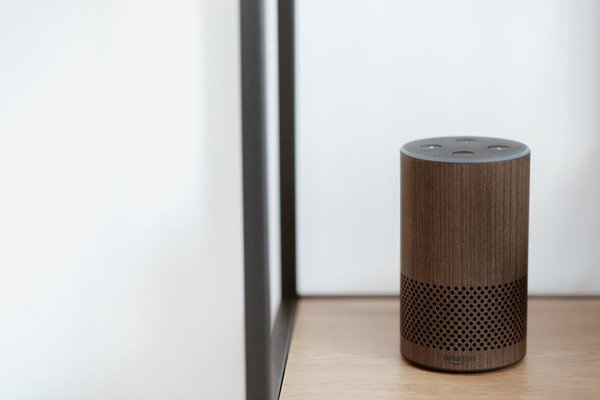
Choosing between Alexa, Google Home, and Apple Home is less about which speaker answers fastest and more about what happens after you buy your first smart bulb, thermostat, or doorbell. Each platform can handle everyday voice commands, but the apps, automations, supported accessories, and privacy controls shape how convenient your home feels months later.
Quick comparison: Which ecosystem fits best?
In the Alexa vs Google Home vs Apple Home comparison, Alexa is a strong choice for households mixing products from many manufacturers, particularly those using Echo speakers, Ring devices, and Amazon services. Google Home suits people who rely on Google services, Nest products, and conversational voice control. Apple Home is appealing to iPhone households that want a streamlined Home app, Siri control, and an emphasis on secure accessory communication.
Voice control: Alexa, Gemini for Home, and Siri
Alexa
Alexa handles familiar commands such as setting timers, adjusting lights, and starting routines across compatible equipment. Amazon’s newer Alexa+ adds more conversational requests and can coordinate multiple smart home actions from a natural instruction. Availability, subscriptions, and individual features vary by country and device, so check support before treating Alexa+ as a standard feature everywhere.
Google Home
Google has been moving supported home speakers and displays from Google Assistant toward Gemini for Home. The appeal is more flexible, conversational language alongside regular controls, media playback, and household questions. Rollout and premium features vary, meaning two households with different devices or regions may have different experiences.
Apple Home
Apple Home uses Siri on supported Apple devices to control rooms, accessories, and scenes. Its strength is consistency within the Apple ecosystem rather than a huge catalog of third-party voice experiences. Commands such as asking Siri to switch off the kitchen lights work neatly when accessories are organized correctly in the Home app.
Device compatibility matters more than speaker branding
Alexa supports a broad mix of smart home products through manufacturer integrations and standards such as Matter. Compatible Echo hardware may also include Zigbee or Thread capabilities, but not every Echo has the same radios. Google Home integrates with many third-party brands and Nest devices. Apple Home supports HomeKit and supported Matter accessories, with a smaller set of compatible products in some categories.
Before buying a lock, camera, or thermostat, check its exact model against your chosen platform. A product advertised as compatible with one assistant may not offer identical camera feeds, sensor triggers, or advanced controls in another app. Security cameras are especially worth checking because video history and alerts often depend on a manufacturer’s service or subscription.
Automations: What happens without a voice command?
Useful automation makes a smart home feel less like a collection of gadgets. Alexa Routines can respond to schedules, spoken phrases, and supported device events. Google Home offers household automations with starters, conditions, and actions, plus more advanced scripting options for users who want greater control. Apple Home uses scenes and automations tied to events such as time, location, or accessory activity.
Imagine wanting your hallway light to switch on at a low brightness after sunset when motion is detected. All three platforms may support a version of this idea, but the outcome depends on whether your motion sensor exposes the necessary trigger and your light supports the brightness action. The presence of an automation editor alone does not guarantee that a particular combination works.
For a practical test, build one evening routine before buying devices for the entire house. Verify the trigger, the available actions, how quickly they respond, and whether the routine still works when your internet connection is interrupted. Different devices and integrations can behave differently.
Does Matter make the platforms interchangeable?
Matter is a smart home connectivity standard intended to improve interoperability. A supported Matter accessory can often be commissioned into more than one ecosystem, reducing dependence on a single brand. That is helpful if one person uses an iPhone while another prefers an Android phone and Google Home.
There are limits. Both the accessory and the controller must support the relevant Matter device type and features. Some manufacturer-specific settings still require the original app. Thread-based Matter accessories also need an appropriate Thread border router for network connectivity; a regular Wi-Fi speaker is not necessarily enough.
For an uncomplicated starting point, explore how Matter and Thread work together before assuming every device labeled smart can join every platform.
Privacy and household access
Privacy is not a single switch. Think about where voice requests are processed, what activity can be saved, who can control devices, and what happens when visitors speak near a shared speaker. Alexa and Google provide account settings for managing assistant activity and related privacy preferences. Google also documents specific controls for Gemini for Home history and recordings.
Apple uses encrypted communications for Home accessories and offers secure coordination through supported home hubs. That is a meaningful design feature, but it does not make every third-party accessory or connected service equally private. Camera cloud storage, manufacturer accounts, and network security remain separate considerations.
Whichever platform you choose, review household member permissions, turn off features you will not use, protect your account with strong authentication, and check the microphone controls on your speaker. Our smart home privacy settings guide can help you review these choices systematically.
Which ecosystem should you choose?
Choose Alexa if you want a flexible mix of accessory brands, already use compatible Echo products, or value Amazon’s connected-home integrations. Choose Google Home if Nest hardware and Google services are central to your household and you want newer conversational assistant features where available. Choose Apple Home if your household primarily uses iPhones and you prefer Home app scenes, Siri, and Apple’s accessory security approach.
Frequently asked questions
Is Alexa better than Google Home for smart devices?
Alexa may be a better fit for certain third-party products and Amazon-focused households. Google Home may be preferable for Nest users and supported conversational controls. The deciding factor is whether your specific devices and automation triggers work as expected.
Can Apple Home work with Alexa or Google Home devices?
Sometimes. A compatible Matter accessory can often be added to multiple ecosystems, but a device working with Alexa does not automatically work with Apple Home. Check the model and supported integration method.
Do I need a hub for Apple Home?
Some accessories can be added and controlled directly using a supported iPhone. A compatible HomePod or Apple TV home hub is important for features such as remote access and many automations, while Thread accessories need suitable network infrastructure. Requirements vary by accessory and software version.
Which smart home platform is the most private?
There is no universal answer because privacy depends on device makers, settings, and connected services. Apple emphasizes encrypted Home communications, while Amazon and Google provide activity and privacy controls. Review the complete setup rather than judging the speaker alone.
Final thoughts
The real difference between Alexa, Google Home, and Apple Home appears in daily use: which devices connect, which automations run reliably, and which controls your household understands. Start with the phones and accessories you already own, test one realistic routine, and select the ecosystem that requires the fewest compromises.
