

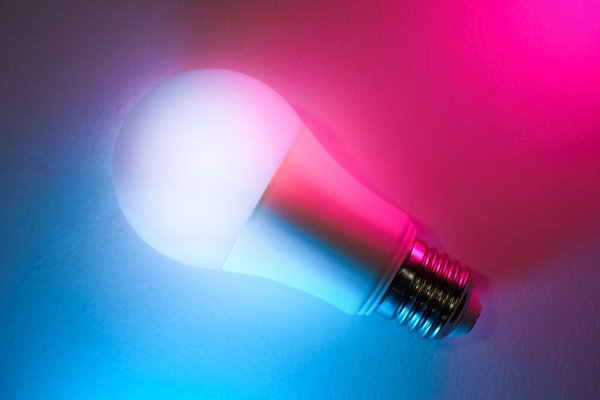
The best smart lights do less than you might expect: they stop asking you to think about switches. A hallway that brightens when you walk through with groceries, a bedroom that eases into morning, or a living room that settles down after dinner can make daily routines noticeably smoother. The trick is choosing automations that match what actually happens at home, rather than building an elaborate system that needs constant fixing.
These smart light automation ideas focus on repeatable moments, sensible triggers, and small adjustments that make automated lights feel helpful instead of unpredictable.
Build Around a Habit, Not a Gadget
Every useful lighting automation has three parts: a trigger, an action, and, ideally, a condition. The trigger might be a time, motion sensor, or arrival at home. The action turns on a light, dims it, or changes its colour temperature. A condition prevents the routine from running at the wrong moment, such as switching on a hallway lamp only after sunset.
Start with a switch you reach for repeatedly, and check which triggers your app, bulbs, sensors, and hub support. Features vary by platform.
Smart Lighting Routines Worth Trying
Make Mornings Feel Less Abrupt
Set compatible bedroom bulbs to brighten gradually before your usual wake-up time. Start very dim and move toward a comfortable brightness over 20 to 30 minutes. If your schedule changes on weekends, create a separate routine for those days rather than waking everyone early.
A gradual wake-up is pleasant, but it is not a reliable replacement for an alarm. Keep your normal alarm active, especially when an early start matters.
Welcome Yourself Home After Dark
An arrival automation can turn on the entryway and a nearby lamp when someone gets home, provided it is dark enough to need them. Keep the lighting moderate: a softly illuminated entrance feels more natural than every ceiling light suddenly switching on.
For example, create a routine that turns on the porch and hallway lights after sunset when the first household member arrives. If your platform supports it, have the hallway light switch off after a short delay while the porch follows its usual evening schedule.
Use Motion Where Your Hands Are Busy
Motion-triggered lighting shines in utility rooms, hallways, laundry spaces, and closets. Position the sensor where it detects someone entering rather than movement from an adjacent room. Try a two-minute shutoff delay for a short hallway, then adjust based on experience.
A sensor cannot always tell whether a person is sitting still. Avoid aggressive shutoffs in offices, bathrooms, and reading corners unless you have suitable presence detection or a manual override.
Keep Overnight Trips Gentle
For a bathroom or stairway visit after bedtime, bright overhead lighting is usually unnecessary. Program a low-level, warm light to come on when motion is detected between bedtime and dawn. A small lamp or under-cabinet strip can illuminate the route without flooding the room.
Test the light level while actually walking the route. Stairs need enough illumination to see edges clearly, and automation should never be the sole safety measure for essential lighting.
Shift the Mood as Evening Approaches
Instead of choosing a fixed clock time all year, use a sunset-based schedule when supported. Living-room lamps can turn on near dusk, then dim later in the evening. You might prefer brighter neutral-white light for tidying up and warmer, softer light for winding down.
This is an easy entry point for smart bulb automation because it needs no additional sensor. Just avoid stacking multiple schedules that give the same bulb conflicting instructions.
Make Movie Night a One-Step Scene
Not every automation must run on its own. A scene triggered by a button or voice command can dim the main lights, leave a little background glow, and keep paths visible. Manual scenes work especially well when routines vary from day to day.
Give the scene a name everyone can remember. A simple “Movie time” command is easier for guests and family members than an app full of nearly identical presets.
Turn Off Lights When Everyone Leaves
Home-and-away routines can help avoid lights remaining on in empty rooms. Configure the away action for nonessential lighting only, and make sure the household presence settings account for everyone who lives there. Otherwise, one person’s departure could switch off lights while another person is still inside.
Phone-based location detection is convenient but imperfect. Keep switches accessible and check the app’s privacy and location permissions before enabling it.
Make Automations Reliable Enough to Forget About
The most successful smart lighting routines have fewer surprises. Begin with one room, observe it for several days, then change only the parts that cause friction. If a sensor fires too often, narrow its detection area or add a nighttime condition. If lights go out too soon, extend the timeout.
Pay special attention to physical controls. Some smart bulbs lose connectivity when their wall switch cuts power, so household members may need a smart switch, a compatible wireless button, or a clear understanding of how to keep the bulbs powered. A guide to choosing smart bulbs can help with compatibility questions before you expand.
Give each routine a descriptive name and avoid overlapping commands. A 10 p.m. dimming schedule and a 10 p.m. full-brightness routine should not control the same lamp at once. Also remember that internet-dependent automations may stop working during service outages. Essential rooms still need practical manual lighting.
If response times are inconsistent, review signal coverage, hub placement, and device firmware. General home Wi-Fi troubleshooting is a useful next step for Wi-Fi-connected bulbs, although other smart lighting networks use different wireless technologies.
Frequently Asked Questions
Can I automate smart bulbs without a hub?
Often, yes. Some Wi-Fi or Bluetooth bulbs support schedules and scenes through their own apps. However, motion sensors, advanced conditions, and certain integrations may require a compatible hub or controller. Check the specific bulb’s features before buying.
What is the difference between motion and occupancy automation?
Motion detection reacts when movement is noticed. Occupancy or presence detection aims to determine whether someone remains in a space, sometimes using additional sensors or signals. The latter may be better for rooms where people sit quietly, but accuracy depends on the hardware and setup.
Do smart lights still work when the internet goes down?
It depends on the system. Some schedules and controls operate locally, while cloud-based automations may pause until connectivity returns. Ordinary wall-switch behaviour also depends on the bulb and switch arrangement. Test your setup rather than assuming every routine works offline.
How many automations should I create first?
Start with two: one predictable schedule, such as evening lamps, and one event-based routine, such as hallway motion after dark. Once both work reliably, add an arrival, bedtime, or away routine based on what would save you the most effort.
Small Changes Make the Biggest Difference
Smart lighting works best when it follows familiar habits and leaves people in control. Begin with one daily inconvenience, choose a trigger that fits, and test the result under real conditions. The goal is not a home where lights are always changing. It is a home where you rarely have to think about them at all.
