

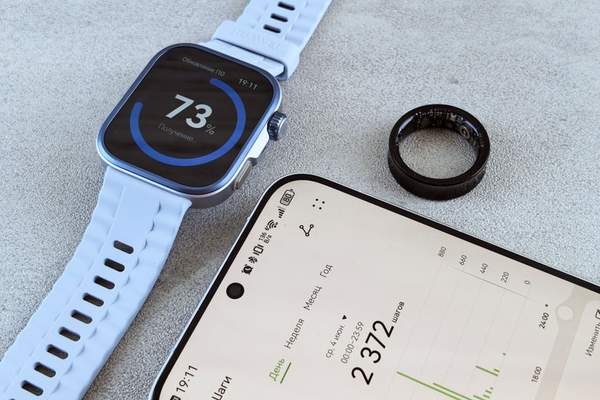
A smartwatch can track workouts, manage messages and monitor sleep, but none of those features helps when the battery dies halfway through the day. Smartwatch battery life depends on more than the number on a product page. Screen habits, active sensors, connectivity and background apps all change how long a charge lasts.
Two people wearing the same model can have noticeably different results. Understanding why helps you choose a watch that fits your routine and avoid unnecessary charging once you own one.
How Long Should a Smartwatch Battery Last?
There is no universal charging schedule. Some full-featured smartwatches are designed around daily or near-daily charging, while certain fitness-focused models can run for several days or longer. Exact endurance varies by device, battery condition and enabled features.
Manufacturer estimates depend on testing assumptions. A quoted figure might include limited GPS time, particular display settings or a specific mix of notifications and workouts. Compare those conditions with your habits rather than treating the headline number as a promise.
If you track sleep, smartwatch charging frequency matters as much as total runtime. A watch that needs charging overnight may not suit continuous sleep monitoring. Short top-ups during a shower or while working at a desk can be more practical.
What Uses the Most Power?
Display brightness and always-on mode
The display is a major energy user. High brightness, long screen timeouts and always-on watch faces can increase smartwatch battery drain. A raise-to-wake display generally uses less power than keeping information visible continuously, although the difference depends on the model.
GPS, workouts and mobile connectivity
Outdoor workout tracking can be demanding, particularly when the watch uses its own GPS for extended periods. Music streaming, cellular calls and mobile data also shorten runtime. A watch connected through Bluetooth may behave differently from the same device working independently of its phone.
Health monitoring and background activity
Frequent heart-rate measurements, advanced health features, third-party apps and background updates all contribute to power use. The impact varies by software. Before disabling a sensor, consider whether losing that information defeats your reason for wearing the watch.
Practical Ways to Extend Smartwatch Battery Life
Start with the screen
Lower brightness to a comfortable level, shorten the display timeout and try turning off always-on mode. Reduce unnecessary wake gestures or notification-triggered screen lighting if supported. These adjustments are easy to reverse and often involve little sacrifice.
Choose notifications deliberately
Your watch does not need to light up for every promotional email, shopping alert or social update. Keep important calls, calendar reminders and messages, then silence low-priority apps. Fewer interruptions mean fewer screen activations.
Use smartwatch power saving thoughtfully
Low Power or Power Saving modes can restrict background activity, display behavior, connectivity or health features. Apple and Samsung document these trade-offs for supported watches, but limitations differ by model and software version. Check the explanation on your device before enabling a mode all day.
Imagine traveling with a low battery when you mainly need the time and essential alerts. Power saving might be ideal. During a race, however, it may reduce the frequency or availability of measurements you care about. Saving charge is not helpful if it removes the data you need.
Keep apps and software under control
Install stable manufacturer updates, remove unused apps and review background-refresh permissions. Software changes sometimes improve efficiency, although devices may temporarily use extra power while completing setup or synchronization. Change one setting at a time so you can tell what helps.
Try a Three-Day Battery Test
Instead of guessing what causes smartwatch battery drain, record your own usage. Begin each morning with a similar charge level and note the remaining percentage at bedtime. Include workout duration, GPS use, always-on display status and unusual activities such as streaming.
On day two, disable only always-on display. On day three, retain that change and reduce notification wake-ups. Compare results cautiously because daily activity will vary. The goal is not laboratory precision; it is discovering what meaningfully extends battery endurance in your routine.
If your watch loses substantial charge while barely being used, investigate apps, connectivity and recent updates before assuming the battery has failed.
How to Protect Battery Health
Rechargeable lithium-ion batteries gradually lose capacity with age. Excessive heat is particularly unhelpful, so avoid charging in direct sunlight or leaving a watch inside a hot car. Use a compatible charger and follow the manufacturer’s charging guidance.
You generally do not need to drain a modern smartwatch completely before recharging. Convenient top-ups are fine. If available, optimized charging may help manage how long the device remains at a high charge level.
When Fast Drain Signals a Problem
A sudden change deserves attention. Restart the watch, check for a stuck workout or navigation session, review recently installed apps and look for unexpected cellular or GPS use. Confirm that the phone and watch connect normally, then consult the battery-usage screen if available.
If rapid drain continues, check official support and battery-service options. Reduced capacity in an aging battery cannot always be fixed through settings. Swelling, overheating or physical damage calls for professional support rather than home repair.
What to Check Before Buying
Think about your longest ordinary day. Will you commute, track an hour-long run, receive many notifications and wear the watch overnight? A standby estimate says little about that combination. Seek tests that use comparable settings, particularly for GPS, always-on display and sleep tracking.
Battery endurance is not everything. Related reading on smartwatch fitness tracking features, choosing a smartwatch for everyday use and wearable health sensors can help you balance runtime against comfort and functionality. More frequent charging may be worthwhile if you genuinely use the extra capabilities.
Frequently Asked Questions
Why does my smartwatch battery drain overnight?
Sleep monitoring, synchronization, wireless connections and an active display all use power. Compare a typical night with one when unnecessary apps and screen features are limited, without disabling the sleep data you want.
Does turning off Bluetooth save battery?
Not necessarily. Some watches communicate efficiently through Bluetooth. Disconnecting may make them rely on Wi-Fi or cellular, potentially using more energy. Check how your particular model behaves.
Should I leave power-saving mode on permanently?
You can if its restrictions suit you, but it may delay alerts or reduce health and workout tracking. Review the stated limitations instead of assuming every feature remains active.
How often should I charge my smartwatch?
Charge according to your actual runtime and routine. Daily top-ups suit some feature-rich models; longer-lasting watches may need fewer sessions. There is no single correct schedule.
Make Battery Life Work for Your Routine
Start with display settings and noisy notifications, then test demanding features separately. Reserve deeper power restrictions for moments when endurance matters most. That approach makes smartwatch battery life more predictable without turning a useful watch into a basic clock.
