

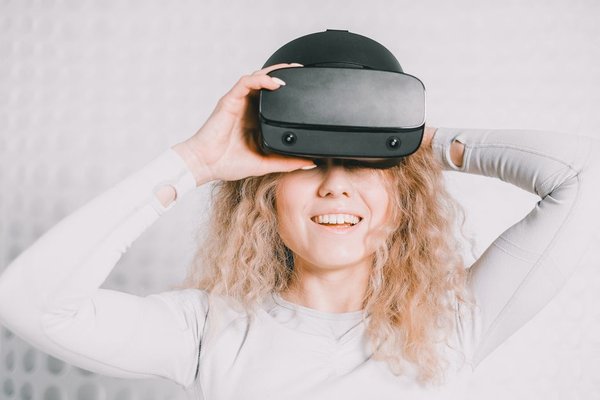
Virtual reality used to come with a shopping list: a powerful computer, cables, sensors and somewhere to put everything. A standalone VR headset takes a different approach. Its processor, displays, tracking cameras and battery live in the headset itself, so you can put it on and launch compatible experiences without connecting a gaming PC or console.
That simplicity is appealing, but it does not mean unlimited performance. Understanding what happens inside an all in one VR headset makes it easier to decide whether convenience is worth the compromises.
What makes a headset truly standalone?
A standalone VR headset runs its own operating system and compatible apps locally. You may need a phone or internet connection for setup, downloads or online features, but not a computer continuously rendering the virtual world. Once an offline app is installed, it may work without Wi-Fi, depending on its requirements.
That distinction matters when comparing a VR headset without PC requirements against a tethered model. A wireless VR headset is not necessarily standalone: some wireless setups still rely on a gaming computer. Standalone describes where the software runs, not merely whether a cable is attached.
How the headset builds and follows a virtual world
Onboard computing handles the graphics
Like a compact gaming computer, a standalone device combines a processor, graphics hardware, memory and storage. It renders separate images for your eyes, updating them as you move your head. Lenses make those close-up screens appear as a larger virtual scene, while built-in audio adds a sense of direction.
Because everything runs on battery power in a small enclosure, developers must balance visual detail, frame rate and heat. A scene designed for standalone virtual reality may use simpler textures, lighting or effects than its PC version. That tradeoff does not prevent an engaging experience.
Cameras and sensors track movement
Most modern standalone headsets use inside-out tracking. Cameras observe features in the surrounding room, while motion sensors help estimate how the headset changes position and direction. Six-degrees-of-freedom tracking lets you look around, lean closer to an object, crouch or take a few steps and see your viewpoint respond.
Controllers may be tracked through cameras and their own sensors. Some systems also support hand tracking, although availability and precision vary by headset and app. Good lighting and visible room features generally help tracking.
Passthrough brings the room back into view
Headsets with outward-facing cameras can show a camera-based view of your surroundings. This is called passthrough. Some apps place virtual screens or objects into that view, creating mixed-reality experiences. Passthrough helps with orientation, but it is not equivalent to natural vision; depth and peripheral visibility can differ.
The convenience you notice in everyday use
Imagine you have twenty minutes after work and want to play a rhythm game. With a standalone device, you clear a safe space, put on the headset, confirm the play boundary and open the game. You do not need to boot a separate gaming machine or route a cable across the room.
That easier start is particularly useful in shared homes or smaller rooms. You can move a chair, switch from a seated experience to a standing one and store the headset afterward. Cable-free does not mean obstacle-free, however: pets, furniture and other people remain hazards.
The same simplicity suits guided fitness sessions, immersive video, casual games and portable demonstrations.
The tradeoffs you should understand
Battery life is the most obvious limitation. Runtime varies by model, app, brightness, refresh rate and battery condition. Demanding games can drain a headset faster than simple video playback. Compatible accessories may extend sessions, but can add weight or cost.
Comfort deserves equal attention. A front-heavy headset can press on your face, while heat, lens alignment or a poorly adjusted strap can shorten a session. Glasses compatibility and adjustable lens spacing differ between products. Try a headset in person if possible.
Another compromise is software choice. App stores and platform restrictions differ, so a game on one system may not run on another. Storage matters because games and downloaded videos occupy space. Multiplayer, updates and purchases usually require internet access.
Finally, standalone processing cannot always match a high-end desktop graphics card. Certain headsets can connect to a compatible PC through a cable or Wi-Fi for PC VR games, but that is an optional mode on supported hardware, not a universal feature.
Who benefits most from an all-in-one headset?
First-time VR buyers often benefit because there are fewer components to choose and troubleshoot. Casual players who value quick sessions may appreciate that more than maximum graphical fidelity. Families sharing a device may also enjoy the compact setup, although age restrictions, parental controls, hygiene and fit deserve attention.
Standalone devices can be practical for teachers, trainers and businesses delivering demonstrations without installing a gaming computer at every station. App availability and device-management features still need checking.
By contrast, dedicated simulation enthusiasts, users pursuing the highest visual detail and people whose favourite titles exist only on PC may prefer a computer-powered setup. Anyone sensitive to headset weight or motion discomfort should test comfort before committing.
How to choose without getting distracted by specifications
Start with the experiences you want. Confirm that your preferred games and apps are supported, then check how comfortable the headset feels. Look for clear optics, suitable fit adjustments, reliable controllers and a strap that balances the weight.
Compare storage, warranty support and software updates rather than focusing on resolution alone. If mixed reality interests you, examine passthrough quality in real room lighting. If PC streaming might matter later, confirm headset, computer and network compatibility.
Before your first active session, clear the floor and the area within arm’s reach, establish a play boundary and begin with a short, comfortable experience. Take breaks and stop if you feel dizzy or unwell. Related reading on VR headset comfort and fit, VR motion sickness prevention and mixed reality versus virtual reality can help you prepare.
Frequently asked questions
Does a standalone VR headset need Wi-Fi?
Wi-Fi is commonly needed for setup, downloads, updates and online features. Some downloaded single-player apps can run offline; check each app’s requirements.
Can you play PC VR games on a standalone headset?
Some models support streaming or connecting to a compatible gaming PC. The computer renders the game, while the headset displays it and provides tracking. Connection methods vary.
Are standalone VR headsets good for gaming?
Yes, especially for games designed around their hardware. They offer convenient, room-scale interaction, although demanding PC-only titles and advanced graphics may require a computer.
Is standalone VR suitable for small spaces?
Often. Many experiences support seated or stationary play. Active games need sufficient cleared space and a correctly configured boundary, so check each app’s space requirements.
A simpler way into VR, with realistic expectations
A standalone VR headset removes much of the hardware friction that once defined virtual reality. It is a strong fit when quick access, portability and fewer cables matter most. Choose based on the apps, comfort and space you have rather than specifications alone, and the compromises become easier to live with.
