

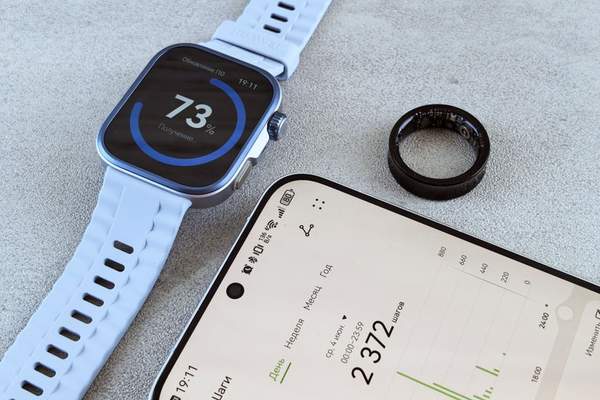
A fitness tracker can record steps for a week, then run out of power during one long GPS workout. The apparent contradiction explains fitness tracker battery life: the advertised figure reflects particular settings and usage, not every possible routine. Before buying a band or troubleshooting your current one, compare your habits with the conditions behind its claimed runtime.
How Long Should a Fitness Tracker Last?
Many dedicated fitness bands last several days between charges, though actual results range from a couple of days to well beyond a week depending on the model. For a typical band, several days to around a week is a useful starting expectation. The most relevant benchmark remains the manufacturer’s estimate for your exact device and settings.
For example, Garmin rates the vívosmart 5 at up to seven days. Google advertises up to seven days for the Fitbit Charge 6, but says its always-on display reduces that estimate to up to three days. Those are different operating conditions, not necessarily signs of better or worse hardware.
Separate everyday runtime from continuous GPS runtime. Fitbit says the Charge 6 can run for up to five hours with built-in GPS continuously active. Five hours of route tracking and seven days of intermittent activity monitoring measure different workloads.
What Drains a Tracker Battery Fastest?
GPS workouts
Built-in GPS consumes extra energy while recording routes, distance and pace. Someone who tracks a short walk twice a week will have a different experience from a runner recording an hour outdoors daily. Some devices support connected GPS, which uses a paired phone’s positioning instead. This may conserve tracker power but requires the phone nearby and shifts some work to it.
The screen
An always-on display remains visible between interactions, whereas a raise-to-wake screen lights up briefly. Brightness, screen timeout and frequent wrist movements can also influence wearable battery life. A colourful display may be enjoyable, but keeping it active all day is rarely free in battery terms.
Health sensors
Optical sensors use light to estimate heart rate and other measurements. Their power demands vary with sampling frequency and enabled features. Regular heart-rate tracking is part of the basic experience on many trackers. Optional overnight or all-day blood-oxygen monitoring can add to consumption; Garmin specifically notes that continuous Pulse Ox monitoring reduces battery life.
Notifications and syncing
Frequent vibrating alerts, screen wake-ups and intensive wireless syncing also use power. A busy workday with dozens of notifications might drain more than a quiet weekend, even with the same number of steps.
How to Compare Battery Claims Before Buying
Read beyond the largest number on the product page. Does the estimate assume the always-on display is off? Does it include sleep monitoring? How much GPS recording is typical in the test? Look for separate specifications covering ordinary use and GPS activities. Treat “up to” as a conditional maximum rather than a guarantee.
Think about your charging opportunities. Someone who primarily wants step counts, sleep trends and reminders might prioritise a full working week between charges. A runner training without a phone should study built-in GPS hours. The comparison between a fitness tracker and a smartwatch can also help clarify how screen features affect runtime.
How to Extend Tracker Battery Without Losing Useful Data
Adjust the display first
Disable always-on display if you do not need it, lower brightness where supported and shorten screen timeout. These changes usually preserve core activity monitoring. A simple watch face and fewer accidental wrist-triggered wake-ups may help too.
Review optional tracking
Consider whether all-day blood-oxygen readings, excessive app alerts or particular automatic workout features are valuable to you. Avoid disabling heart-rate features or health-related alerts you depend on simply to gain another day between charges. A slightly shorter runtime may be worth having useful information.
Use GPS only when it adds value
Record GPS workouts when route, distance or pace matter, and end the activity after exercising. If you already carry a compatible phone, test connected GPS where available. For treadmill sessions or ordinary step counting, continuous satellite recording is generally unnecessary. Learning how GPS fitness tracking works can make this choice easier.
Keep charging and software straightforward
Use the appropriate charger, keep contacts clean and dry, and avoid extreme heat. Check for software updates if unusual drain develops. Fitness tracker charging need not follow a strict nightly schedule: a convenient top-up before a long outing often works better than waiting until the battery reaches zero.
A One-Week Battery Test Worth Trying
Instead of guessing, fully charge your tracker on Sunday and use it normally. Note the remaining percentage at roughly the same time each evening. Record GPS minutes, display settings and unusually active days. Repeat the test if your schedule changes significantly between weeks.
Imagine it uses 15% on an office day but 30% after a long outdoor run. That pattern is not automatically evidence of a defective activity tracker battery; the workload changed. If average usage is near 20% per day, around five days is a sensible planning estimate, although battery percentages are not perfectly linear.
For a fair comparison, change only one setting in your second test week. Turning off always-on display while keeping workouts similar reveals more than switching off GPS, notifications and sleep tracking simultaneously. A guide to fitness tracker settings can help you decide which features are optional.
When Battery Drain May Indicate a Fault
Rechargeable batteries gradually lose capacity as they age. A sudden change deserves investigation, particularly if your habits are unchanged. Check for an unfinished recorded workout, newly enabled settings, excessive notifications, software problems or repeated failed syncing.
Restart the tracker, ensure it charges correctly and observe another full cycle. If runtime remains far below the manufacturer’s guidance under comparable conditions, consult its official troubleshooting advice. Stop using or charging a device that becomes unusually hot, swells or shows physical damage, and seek professional assistance.
Frequently Asked Questions
Is five days of battery life good?
Often, yes. Five days can be reasonable for a tracker with regular health monitoring and alerts. Compare that result with the model’s specifications and enabled settings rather than another product’s headline maximum.
Does continuous heart-rate monitoring drain the battery?
It uses energy, but many trackers account for automatic heart-rate monitoring in normal use. Additional sensors and measurement modes may reduce the interval between charges.
Why does GPS drain the battery so quickly?
Continuous location tracking demands more energy than passive step counting. Check your tracker’s separate GPS battery specification, not only its advertised number of days.
Should I charge my fitness tracker every night?
Not unless the device or your schedule requires it. Charge when convenient before important activities and follow the manufacturer’s safety instructions.
Choose Runtime That Fits Your Routine
The best battery life is enough to capture the activities and health trends you care about without inconvenient charging breaks. Consider advertised figures a starting point, test your real usage and adjust the biggest power drains first. If you frequently miss workouts because the battery is empty, changing your settings or choosing a longer-lasting tracker may be worthwhile.
