

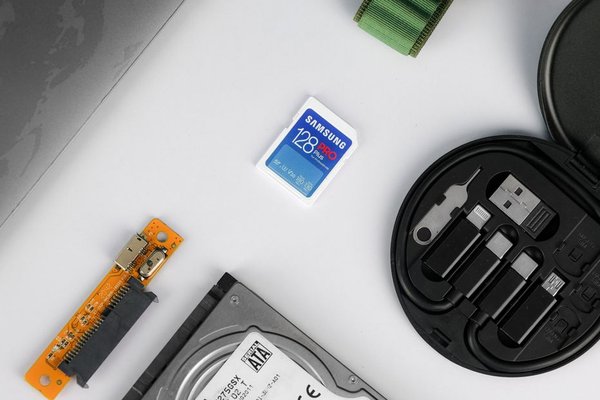
The label on a memory card can look like a jumble of letters and speed claims. Yet choosing the wrong one has consequences: a camera may not recognise it, a photo burst may stall, or a video mode may be unavailable. Understanding camera memory card types starts with three questions: which format fits your camera, how quickly must it write, and how much space do you need?
Start with the slot, not the advertised speed
Card formats are not universal. Check your camera manual or manufacturer’s supported-media list before shopping. Some models have two SD slots; others combine SD with CFexpress, while certain cameras support only a specific CFexpress type. A faster card cannot compensate for an incompatible slot.
Also check restrictions by recording mode. A camera might accept ordinary SD for still photos but require faster media for high-bitrate video. Firmware updates can change supported cards, so consult current information for your exact model.
The main camera memory card types
Full-size SD: the familiar all-rounder
Secure Digital (SD) cards remain common in mirrorless cameras, DSLRs and compacts. For many photographers, a reliable SD card for camera use handles JPEGs, RAW stills and everyday video. The rectangular card is widely available in several speed grades.
SD describes the family; SDHC, SDXC and SDUC describe capacity standards. SDHC covers more than 2GB through 32GB, SDXC more than 32GB through 2TB, and SDUC beyond 2TB under the standard. A camera supporting SDHC does not automatically support SDXC or SDUC.
microSD: small enough for drones and action cameras
microSD is common in drones, action cameras and tiny recorders. Many cards fit a full-size SD adapter, but an adapter cannot add support for an unsupported capacity or speed standard. For full-size slots, a dedicated SD card is generally more convenient and avoids an extra contact point. Always check the device’s supported microSD capacity and minimum speed rating.
CFexpress: designed for heavy workloads
A CFexpress card uses PCIe and NVMe technology for high-throughput photography and video. Type A and Type B have different sizes and are not interchangeable. Type A is smaller; Type B appears in cameras built for demanding bursts and high-data-rate recording. Type C exists in the specification but is not a typical consumer-camera option.
CFexpress 2.0 and 4.0 identify interface generations, not guaranteed real-world speeds. Performance depends on the camera, card and reader. These cards often cost more than SD, making the camera’s requirements the sensible starting point.
CompactFlash, CFast and XQD: older but relevant
Older professional cameras may use CompactFlash, which is not CFexpress. CFast uses another interface, while XQD shares a physical form factor with CFexpress Type B. Similar dimensions do not guarantee compatibility: some XQD cameras received CFexpress support through firmware, but others did not. Never force a card into a slot.
How to read card speed symbols
UHS-I and UHS-II describe the SD interface
UHS-I and UHS-II identify bus interfaces with theoretical maximum transfer rates of 104MB/s and 312MB/s respectively. UHS-II cards have a second row of contacts. In compatible UHS-I equipment they operate at lower interface speeds, so buying an expensive UHS-II card offers limited in-camera benefit when the camera only supports UHS-I.
The prominent read-speed figure on packaging often describes ideal transfers to a computer, not continuous writing inside a camera. For recording, sustained write performance matters more.
Speed classes explain sustained performance
A memory card speed class specifies minimum sequential write performance under defined conditions. Class 10 and U1 mean 10MB/s; U3 and V30 mean 30MB/s; V60 means 60MB/s; and V90 means 90MB/s. These labels are better guides to continuous recording than peak-read claims, provided your equipment supports the appropriate interface.
CFexpress has separate Video Performance Guarantee (VPG) classes for qualifying cards. Compare a card’s sustained-write rating with your camera’s recommended media requirements, particularly for demanding video formats.
Match the card to the way you shoot
For casual still photography, compatibility and reliability matter more than the highest speed number. Continuous RAW bursts are different: the camera fills its buffer, then moves images onto the card. Faster supported writes can reduce the delay before another full-speed burst. Understanding RAW versus JPEG files also helps explain why storage demands vary.
For video, compare bitrate rather than resolution alone. Imagine recording at 400 megabits per second: dividing by eight gives roughly 50 megabytes per second before overhead. V30 guarantees just 30MB/s under its defined conditions, so it is not suitable for that workload. A camera-approved V60, V90 or CFexpress option may be needed. Meanwhile, lower-bitrate 4K can work perfectly with V30. Check requirements for your specific codec and recording mode.
Capacity is a separate decision. A 128GB card holds much more than a 32GB card, but photo counts and recording times depend on compression, frame rate and bitrate. For important shoots, several tested cards can reduce the risk of keeping an entire day’s work on one device.
A practical buying and testing checklist
Confirm the format and capacity standard first, then the camera’s supported interface and minimum sustained write rating. Look for requirements tied to the exact recording mode rather than vague ‘4K-ready’ marketing. Buy from established sellers, because counterfeit cards can misreport capacity or fail unexpectedly.
Once purchased, test the longest burst or video session you expect to capture. After backing up existing files, format the card in your camera. Carry a suitable reader, and create a photography backup workflow so important footage never exists on only one card.
When choosing a camera for video, consider media costs alongside autofocus and recording options. An affordable camera body may still require expensive storage for its most demanding settings.
Frequently asked questions
Is CFexpress better than SD for every camera?
No. CFexpress offers greater potential throughput but only works in cameras designed for the correct type. For modes that operate reliably with SD, paying extra for CFexpress brings no benefit.
Can I use microSD in a full-size SD camera?
Often, with an adapter, if the camera supports the card’s capacity and speed standards. A full-size SD card avoids the adapter and is usually simpler.
Does V30 guarantee smooth 4K recording?
Not universally. V30 represents at least 30MB/s sequential writing under specified conditions. Lower-bitrate 4K may fit; demanding codecs could require V60, V90 or another format. Check the camera’s media chart.
Will CFexpress Type B work in an XQD slot?
Only when the specific camera supports it, sometimes after a firmware update. Shared dimensions alone do not establish compatibility.
Choose for the job, not the biggest number
The useful distinction between camera storage cards is not which looks most professional. It is whether the card is supported, sustains your recording requirements and offers enough capacity for the session. Confirm those points, then buy for reliability. Your camera’s manual answers more questions than any marketing label.
